Lightweight Application
The software runs smoothly on standard business systems without requiring high-end hardware.
02 May 2026
PDF files are widely used for contracts, reports, presentations, and official documents. However, editing and managing these files requires powerful software.
Two of the most popular PDF editors available today are PDFelement and Adobe Acrobat.
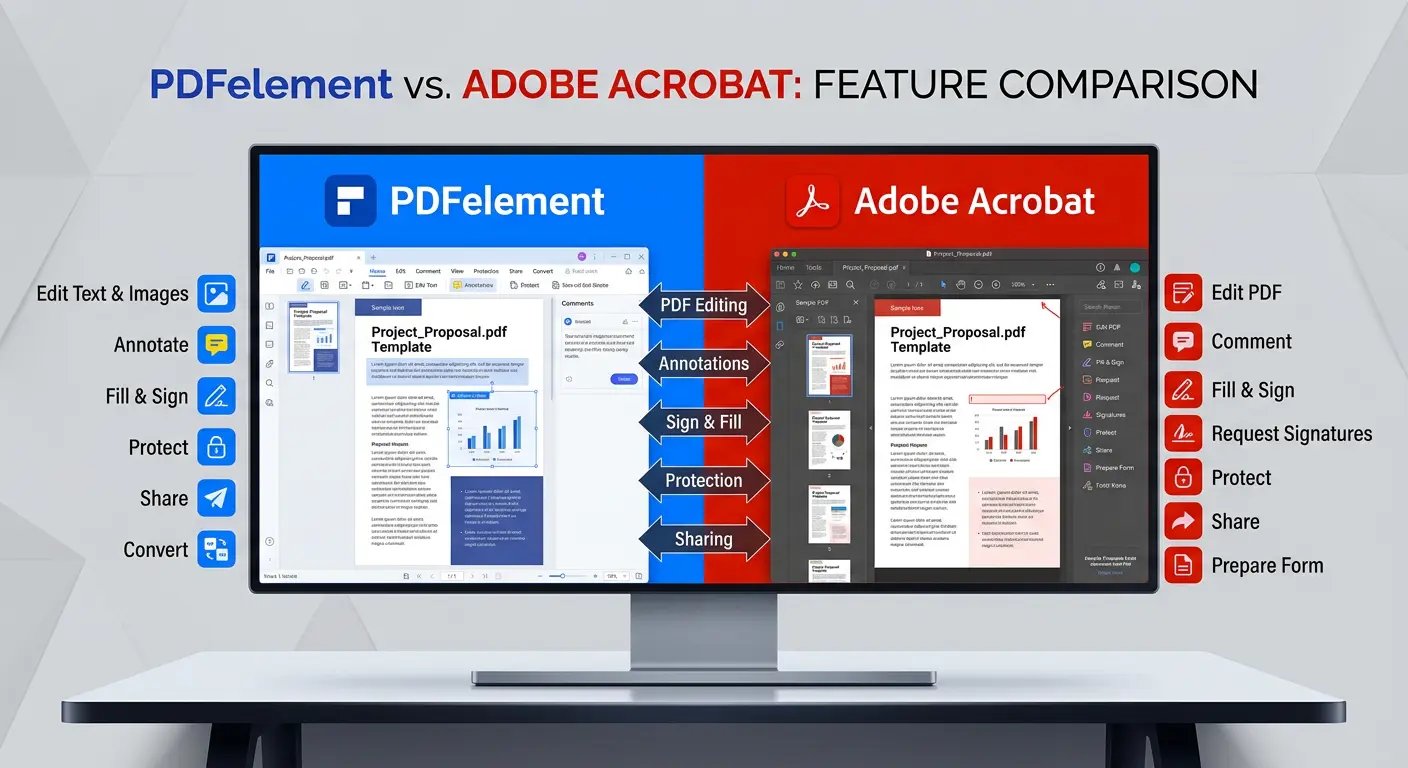
Both tools offer advanced PDF editing capabilities, document conversion, annotation features, and digital signatures. But when comparing them closely, you will notice clear differences in pricing, ease of use, AI capabilities, and enterprise functionality
In this guide, we will explore a detailed comparison between PDFelement and Adobe Acrobat so you can decide which PDF software best fits your needs.
| Feature | PDFelement | Adobe Acrobat |
| Developer | Wondershare | Adobe |
| Best For | Individuals & businesses | Enterprises & professionals |
| Ease of Use | Very easy | Moderate learning curve |
| Pricing | Affordable | Expensive subscription |
| AI Features | Built-in | Limited / add-on |
| OCR Technology | Advanced | Industry-leading |
| Integration | Standard tools | Deep enterprise integrations |
Both tools are excellent, but they target slightly different users.
PDFelement is a powerful and user-friendly PDF editing tool developed by Wondershare.
It is designed to provide professional PDF editing features at a much lower price compared to traditional enterprise software.
PDFelement allows users to:
One of the reasons PDFelement has gained popularity is its clean interface and modern AI capabilities, making it accessible to beginners as well as professionals.
Adobe Acrobat is the original software used to create and edit PDF files.
Developed by Adobe, it has been the industry standard for PDF management for decades.
Adobe Acrobat provides advanced tools for:
Large organizations often prefer Adobe Acrobat because it integrates well with other Adobe products like Adobe Creative Cloud.
PDF Editing Capabilities
Both software solutions allow users to edit PDFs easily, but the experience differs.
PDFelement Editing Features
PDFelement provides a Word-like editing interface that allows users to modify text and images directly.
Key editing capabilities include:
This makes PDFelement ideal for users who want simple and fast editing without a complicated interface.
Adobe Acrobat Editing Features
Adobe Acrobat provides more advanced editing controls for professional documents.
Features include:
Because of these capabilities, Adobe Acrobat is often used in legal, corporate, and government environments.
OCR allows users to convert scanned documents into editable text.
Both tools provide powerful OCR capabilities.
PDFelement OCR
PDFelement offers:
This allows users to easily convert printed documents into editable formats.
Adobe Acrobat OCR
Adobe Acrobat also provides industry-leading OCR technology with:
Both tools perform well in OCR, but Adobe Acrobat still has a slight advantage in highly complex documents.
AI tools are becoming increasingly important for document productivity.
PDFelement AI Tools
PDFelement includes built-in AI capabilities such as:
These features help users quickly extract information from large documents.
Adobe Acrobat AI Features
Adobe Acrobat recently introduced an AI assistant that can:
However, some of these features may require an additional subscription.
PDFelement includes several AI-powered features directly within the software, allowing users to perform tasks such as summarization, translation, and document analysis without relying on additional tools.
In comparison, Adobe Acrobat offers AI features that may require separate activation or additional subscriptions.
This built-in approach makes PDFelement more convenient for users who want an all-in-one solution.
Both tools support creating and signing forms.
PDFelement Forms
PDFelement allows users to:
These features make it suitable for small businesses and freelancers.
Adobe Acrobat Forms
Adobe Acrobat provides more advanced capabilities through Adobe Sign.
Organizations can:
This makes Adobe Acrobat the preferred choice for large enterprises.
Pricing is one of the biggest differences between the two tools.
| Plan | PDFelement | Adobe Acrobat |
| Free Version | Yes | Yes |
| Annual Plan | Lower cost | Higher cost |
| One-Time License | Available | Not available |
| AI Features | Included | Often add-on |
PDFelement is often significantly cheaper, making it attractive for freelancers and small companies.
Adobe Acrobat, however, focuses on enterprise-level subscriptions.
PDFelement provides a clear cost advantage over Adobe Acrobat, especially for businesses and growing teams.
Lower Cost Compared to Adobe
PDFelement can be up to 70% more affordable than Adobe Acrobat, making it a practical choice for organizations looking to reduce software expenses without compromising functionality.
Perpetual License Availability
Unlike Adobe Acrobat, which follows a subscription model, PDFelement offers a one-time purchase option. This helps businesses avoid recurring costs and simplifies long-term budgeting.
Local Support in India
Organizations in India benefit from local distributor support, which helps with licensing, deployment, and ongoing assistance. This ensures a smoother experience compared to global-only support models.
Ease of use can strongly influence which software users prefer.
PDFelement Interface
PDFelement offers:
Users familiar with Microsoft Office tools can quickly learn PDFelement.
Adobe Acrobat Interface
Adobe Acrobat offers:
However, beginners may find the interface slightly more complex.
Many users report that PDFelement performs faster when handling large batches of documents.
Advantages include:
Adobe Acrobat remains strong in enterprise-scale document management, where advanced automation is required.
PDFelement is designed to be lightweight and efficient, making it suitable for a wide range of systems.
The software runs smoothly on standard business systems without requiring high-end hardware.
PDFelement supports batch operations, allowing users to process multiple files simultaneously. This improves productivity when handling large volumes of documents.
PDFelement combines editing, conversion, OCR, forms, and AI features into a single platform. This reduces the need to use multiple tools for different document tasks.
Students produce:
Students develop:
Trainee teachers create:
Choosing between PDFelement and Adobe Acrobat depends on your needs.
Students produce:
Choosing the right software is important, but businesses often need custom tools, integrations, and automation to maximize productivity.
FlyingStars helps organizations build scalable digital platforms, AI-powered systems, and workflow automation solutions.
Both PDFelement and Adobe Acrobat are powerful PDF editing tools.
However, they serve slightly different audiences.
PDFelement is an excellent choice for individual users, freelancers, and small businesses looking for a powerful yet affordable PDF editor.
Adobe Acrobat remains the industry standard for enterprises and organizations that require advanced document workflows and security features.
For most everyday users, PDFelement provides similar functionality at a significantly lower cost, making it one of the best alternatives to Adobe Acrobat.
PDFelement is better for users who want an affordable and easy-to-use PDF editor. Adobe Acrobat is better suited for enterprises and advanced document management workflows.
Yes, PDFelement is considered one of the best alternatives to Adobe Acrobat because it provides similar features like editing, OCR, forms, and conversion at a lower price.
PDFelement is generally easier to use because of its simple interface and Microsoft Word-like editing experience.
Yes, PDFelement includes advanced OCR technology that can convert scanned documents into editable and searchable text.
Yes, Adobe Acrobat remains the industry standard for PDF editing, especially in enterprise environments.