Build a Web Portal That Succeeds
Start with expert planning and proven development practices.
07 Jul 2026
Web portal projects promise efficiency, automation, and better user experience. Yet, many businesses struggle to make them successful. Projects often run over budget, miss deadlines, or fail to gain user adoption.
The main reason is not technology. Most failures happen due to poor planning, wrong decisions, and lack of long-term vision. The good news is that these problems can be avoided with the right approach.
This guide explains why web portal projects fail and what businesses can do to prevent failure.
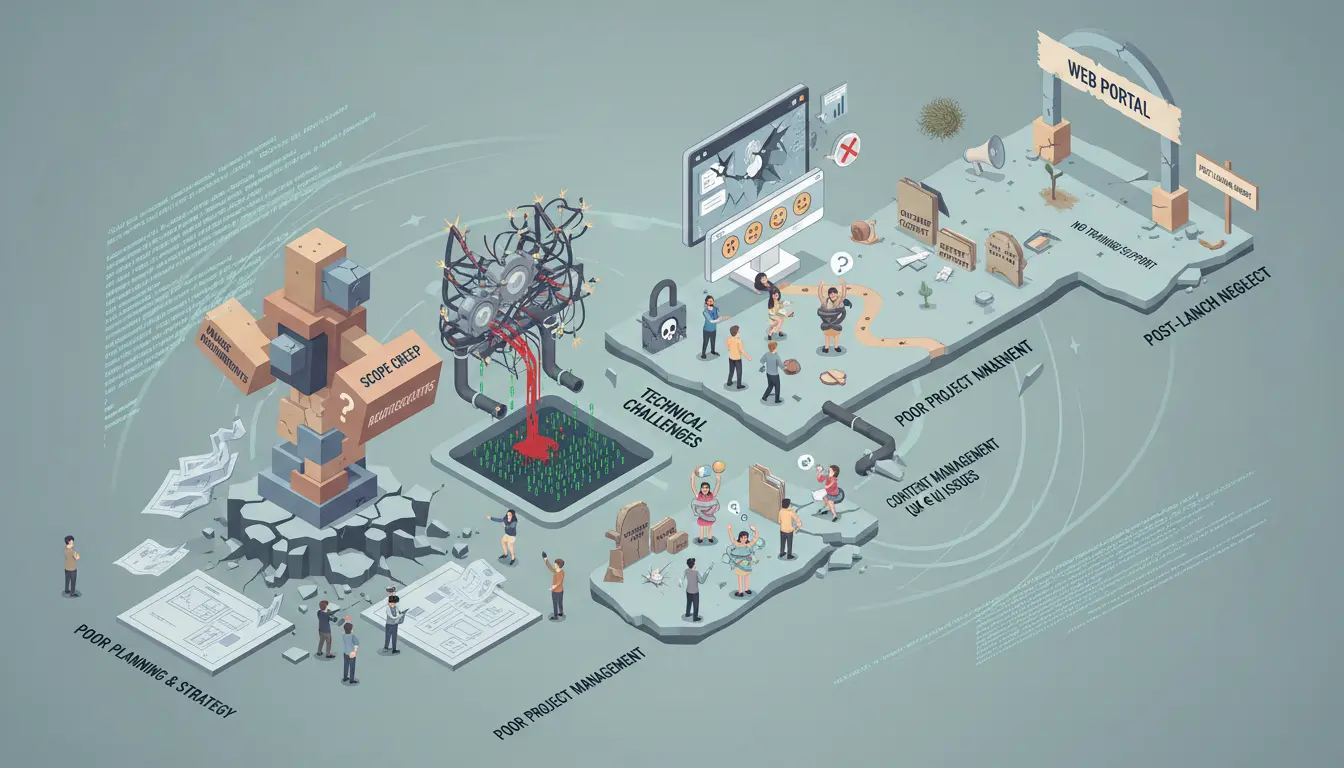
Many portal projects fail because the purpose of the portal is not clearly defined. Teams start development without knowing what problem the portal should solve.
As a result, features change frequently. Development slows down. Costs increase.
Why this causes failure
How to avoid it
Define clear business goals before development begins. Document user roles, workflows, and expected outcomes. Every feature should support a specific business objective.
A technically strong portal can still fail if users find it hard to use. Complex navigation, unclear actions, and cluttered layouts frustrate users quickly.
When users struggle, adoption drops.
Common UX mistakes
How to avoid it
Design the portal for real users, not assumptions. Use simple navigation, clear labels, and consistent layouts. Test usability early and refine based on feedback.
Ignoring Mobile and Accessibility Needs
Many portals are built mainly for desktops. This creates a poor experience on mobile devices and for users with accessibility needs.
Why this matters
How to avoid it
Build responsive designs that adapt to all screen sizes. Follow accessibility guidelines to ensure usability for everyone.
Web portal development takes time. Projects fail when timelines are rushed or poorly planned. This leads to incomplete features and unstable systems.
Signs of poor planning
How to avoid it
Break the project into phases. Allocate time for planning, development, testing, and feedback. Realistic timelines reduce risk and improve quality.
Web portals are more complex than standard websites. They often require APIs, integrations, role-based access, and large data handling.
When this complexity is underestimated, systems fail to scale.
Common technical issues
How to avoid it
Plan the architecture early. Choose scalable technologies and experienced developers. Build with future growth in mind.
Security is often treated as a final step. This exposes portals to serious risks such as data breaches and unauthorized access.
Once trust is lost, users rarely return.
Security risks include
How to avoid it
Implement security from day one. Use secure login systems, encrypted communication, and regular security testing. Security should evolve as the portal grows.
Many portals fail because they go live without enough testing. Bugs appear after launch, causing frustration and loss of trust.
Testing is often rushed or skipped.
What goes wrong
How to avoid it
Test the portal across devices, browsers, and user roles. Perform functional, performance, and security testing before launch.
Scope creep is one of the biggest reasons web portal projects fail. New features are added continuously without reviewing their impact.
This leads to delays and budget overruns.
Why scope creep happens
How to avoid it
Freeze core requirements early. Evaluate every change request carefully. Focus on business value, not feature volume.
The wrong development partner can turn a good idea into a failed project. Poor communication, lack of expertise, and weak processes cause major setbacks.
Warning signs
How to avoid it
Choose a partner with proven web portal experience, clear communication, and a structured development process. A strong partner reduces risk and ensures quality.
Launching the portal is only the beginning. Many projects fail because there is no plan after launch. Issues go unnoticed and user needs change.
Over time, the portal becomes outdated.
Post-launch gaps include
How to avoid it
Track usage, gather feedback, and improve continuously. Regular updates keep the portal relevant and effective.
| Failure Reason | Business Impact | Prevention Strategy |
| Unclear goals | Delays & rework | Define goals early |
| Poor UX | Low adoption | User-centered design |
| Weak planning | Missed deadlines | Phased timelines |
| Technical gaps | Performance issues | Scalable architecture |
| Security flaws | Data loss | Secure-by-design |
| No testing | Bugs & errors | Full QA process |
| Scope creep | Budget overruns | Change control |
| Wrong partner | Project failure | Experienced vendor |
| No monitoring | Long-term decline | Continuous improvement |
Start with expert planning and proven development practices.
Get a free consultation to assess your portal idea or existing system.
Optimize performance, security, and user experience today.
Know exactly what to plan before and after launch.
They fail due to unclear goals, poor UX, weak planning, security gaps, and lack of testing.
Yes. With audits, redesign, and technical improvements, many portals can be fixed.
Very important. The right partner reduces risks and ensures long-term success.
Yes. Continuous monitoring and updates keep portals stable and relevant.